The next version of markata will be around a full second faster at building
it’s docs, that’s a 30% bump in performance at the current state. This
performance will come when virtual environments are stored in the same
directory as the source code.
I was looking through my profiler for some unexpected performance hits, and
noticed that the docs plugin was taking nearly a full second (sometimes
more), just to run glob.
Now glob.py from the docs plugin does not even show up in the profiler.
I opened up ipython and saw the following results. For some reason as I hit
docs.glob it was only hitting 488 ms from ipython, but it was still a massive
improvement over the original.
%timeitdocs.glob(m)# 488 ms ± 3.05 ms per loop (mean ± std. dev. of 7 runs, 1 loop each)%timeitdocs.glob(m)# 9.37 ms ± 90.9 µs per loop (mean ± std. dev. of 7 runs, 100 loops each)
Keynote Speaker - James Powell # [1]
I don’t want to be an expert python developer.
https://www.youtube.com/watch?v=iKzOBWOHGFE
[2]
usage of keyword only arguments to prevent pain for users of libraries # [3]
# Version 1
def newton(f, x0, fprime, maxiter=100):
...
# Version 2
def newton(f, x0, fprime, tol=1e-6, maxiter=100):
...
# 🔴 Broke in Version 2
newton(f, x0, fprime, 100)
In an alternate timeline the maintainer of newton could have chose to use
keyword only arguments to prevent pain for users of libraries, or poor api
design due to fear of changing api on users.
# Version 1
def newton(f, x0, fprime, *, maxiter=100):
...
# Version 2
def newton(f, x0, fprime, *, tol=1e-6, maxiter=100):
...
# 🟢 user forced to use keyword only arguments never notices change
newton(f, x0, fprime, maxiter=100)
References:
[1]: #keynote-speaker---james-powell
[2]: https://dropper.waylonwalker.com/api/file/8275d2a5-72da-470c-a71d-86019415b303.webp
[3]: #usage-of-keyword-only-arguments-...
global Field
global BaseModel
from pydantic import BaseModel
from pydantic import Field
Pydantic is a Python library for serializing data into models that can be
validated with a deep set of built in valitators or your own custom validators,
and deserialize back to JSON or dictionary.
Pydantic has some very robust serialization methods that will automatically
coherse your data into the type specified by the type-hint in the model if it can.
1 validation error for Person
name
  Input should be a valid string [type=string_type, input_value=12, input_type=int]
    For further information visit https://errors.pydantic.dev/2.3/v/string_type
1 validation error for Person
age
  Input should be a valid integer, unable to parse string as an integer [type=int_parsing, input_value='thirty', input_type=str]
    For further information visit https://errors.pydantic.dev/2.3/v/int_parsing
article.blog-post {
max-width: 1200px;
}
The following is a playthrough of Star Wars Text Adventure with a 10 yr old.The
following is a playthrough of StarThe following is a playthrough of Star
❯ sw-adventure game run
[05/15/23 18:47:42] INFO marvin.marvin: Using OpenAI model "gpt-3.5-turbo" logging.py:50
18:47:42.699 | INFO | marvin.marvin - [default on default]Using OpenAI model "gpt-3.5-turbo"[/]
[18:47:42] Starting game game.py:30
generating your character
╭─ Zorin Kreez's Mission Card ─────────────────────────────────────────────────────────────────────────────────────╮
│ Zorin Kreez │ Zorin Kreez was born on Tatooine and grew up in a small farming community. He │
│ health │ 100 │ always dreamed of adventure and excitement. As soon as he was old enough, he │
│ imperial credits │ 5000 │ joined the Imperial Navy and quickly rose through the ranks. He is now a skilled │
│ fuel level │ 100 │ pilot and loyal member of the Empire. │
│ │ │
│ Imperial │ A nimble and deadly starfight...
I was reading about
pydantic-singledispatch [1]
from Giddeon’s blog and found it very intersting. I’m getting ready to
implement pydantic on my static site generator markata [2],
and I think there are so uses for this idea, so I want to try it out.
The Idea # [3]
Let’s set up some pydantic settings. We will need separate Models for each
environment that we want to support for this to work. The whole idea is to use
functools.singledispatch and type hints to provide unique execution for each
environment. We might want something like a path_prefix in prod for
environments like GithubPages that deploy to /<name-of-repo> while keeping
the root at / in dev.
Settings Model # [4]
Here is our model for our settings. We will create a CommonSettings model
that will be used by all environments. We will also create a DevSettings
model that will be used in dev and ProdSettings that will be used in prod.
We will use env as the discriminator so pydantic knows which model to use.
from typing im...
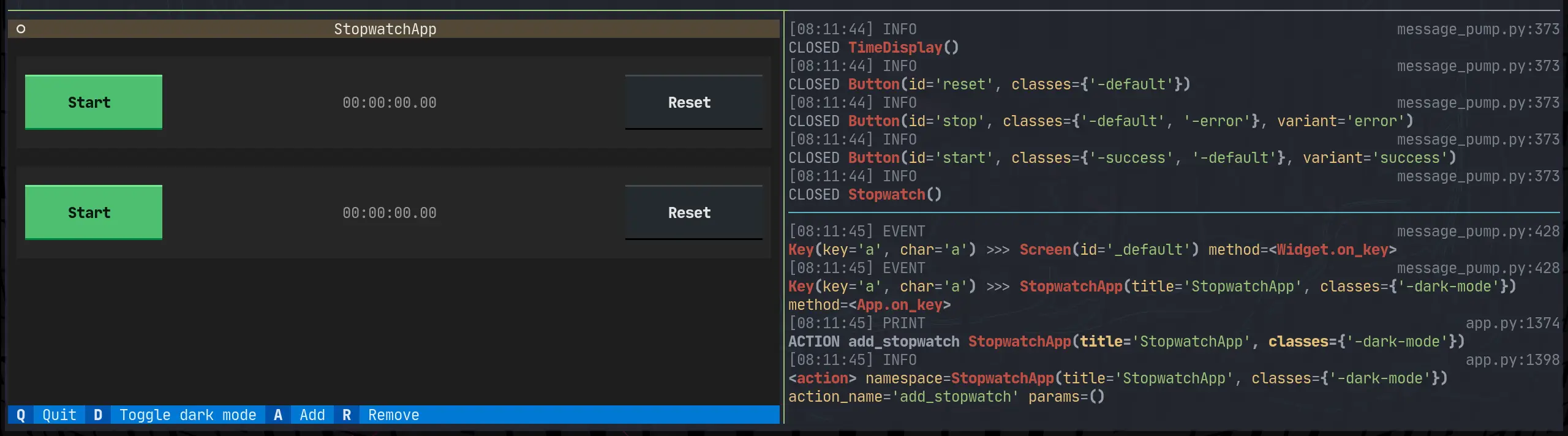
I really like having global cli command installed with pipx. Since textual
0.2.x (the css release) is out I want to be able to pop into textual devtools
easily from anywhere.
In order to install optional dependencies with pipx you need to first install
the library, then inject in the optional dependencies using the square bracket
syntax.
I am working through the textual tutorial, and I want to put it in a proper cli
that I can pip install and run the command without textual run --dev app.py.
This is a fine pattern, but I also want this to work when I don’t have a file
to run.
Now to get devtools through a cli without running through textual run --dev.
I pulled open the textual cli source code, and this is what it does at the time
of writing.
Note: I used sys.argv as a way to implement a --dev quickly tutorial. For a
real project, I’d setup argparse, click, or typer. typer is my go to these
days, unless I am really trying to limit dependencies, then the standard
library argparse might be what I go with.
deftui():fromtextual.featuresimportparse_featuresimportosimportsysdev="--dev"insys.argv# this works, but putting it behind argparse, click, or typer would be much betterfeatures=set(parse_features(os.environ.get("TEXTUAL","")))ifdev:features.add("debug")features.add("devtools")os.environ["TEXTUAL"]=",".join(sorted(features))app=StopwatchApp()app.run()if__name__=="__main__":tui()
The first example that you can use right now is markata-gh. It will render
repos by GitHub topic and user using the gh cli, which is available in github
actions!
Get it with a pip install
pip install markata-gh
Use it with some jinja in your markdown.
## Markata plugins

It uses the logged in uer by default.

{% gh_repo_list_topic "markata" %}

You can more explicitly grab your username, and a topic.
{% gh_repo_list_topic "waylonwalker", "personal-website" %}
The jinja extension details are for another post, but this is how markata-gh
exposes itslef as a jinja extension.
classGhRepoListTopic(Extension):tags={"gh_repo_list_topic"}def__init__(self,environment):super().__init__(environment)defparse(self,parser):line_number=next(parser.stream).linenotry:args=parser.parse_tuple().itemsexceptAttributeError:raiseAttributeError("Invalid Syntax gh_repo_list_topic expects <username>, or <username>,<topic> both must have the comma")returnnodes.CallBlock(self.call_method("run",args),[],[],"").set_lineno(line_number)defrun(self,username=None,topic=None,caller=None):"get's markdown to inject into post"returnrepo_md(username=username,topic=topic)
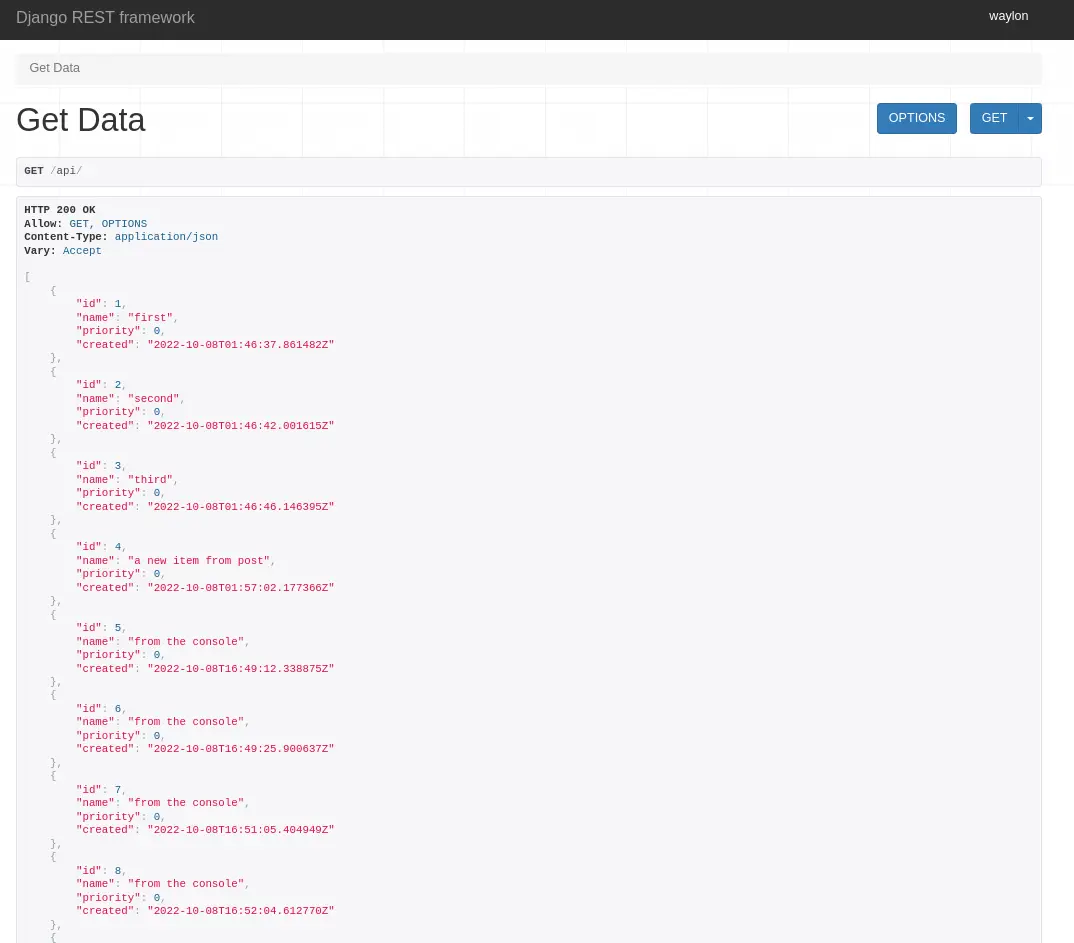
In my adventure to learn django, I want to be able to setup REST api’s to feed
into dynamic front end sites. Potentially sites running react under the hood.
I already have the following model from last time I was playing with django. It
will suffice as it is not the focus of what I am learning for now.
Note the name of the model class is singular, this is becuase django will
automatically pluralize it in places like the admin panel, and you would end
up with Itemss.
fromdjango.dbimportmodels# Create your models here.classItem(models.Model):name=models.CharField(max_length=200)created=models.DateTimeField(auto_now_add=True)def__str__(self):returnf"{self.priority}{self.name}"
Next I will make some dummy data to be able to return. I popped open ipython
and made a few records.
Next we need to set up a serializer to seriaze and de-serialize data between
our model and json. You can specify each field individually or all of them by
passing in __all__.
Now we need a view leveraging the djangorestframework. The serializer we
just created will be used to serialize all of the rows into a list of objects
that Response can handle.
Note: to return a collection of model objects we need to set many to True
Markata 0.5.0 is now out, and it’s huge. Even though it’s the backend of this
blog I don’t actually have that many posts directly about it. I’ve used it a
bit for blog fuel in generic ways, like talking about pluggy and diskcache, but
very little have I even mentioned it.
Over the last month I made a big push to get 0.5.0 out, which adds a whole
bunch of new configurability to markata.
Before cutting all of my personal projects over to hatch. The first thing I
did was to setup a solid github action,
hatch-actionthat I can resue.
It automatically bumps versions, using pre-releases on all branches other than
main, with special branches for bumping major, minor, patch, dev, alha, beta,
and dev.
To convert the project over to hatch, and get rid of setup.py/setup.cfg, I ran
hatch new --init. This automatically grabs all the metadata for the project
and makes a pyproject.toml that has most of what I need.
hatch new --init
I then manually moved over my isort config, put flake8 config into .flake8,
and dropped setup.cfg.
Part of my hatch-action is to run a before-command, for markata, this runs
all of my linting and testing in one hatch script called lint-test. If this
fails CI will fail and I can read the report in the logs, make a fix and
re-publish.
My typical workflow is to work on features in their own branch where they do
not automatically version or publish, they keep the same version they were
branched off of. Then I do a pr to develop, which will do a minor,dev bump
and publish a pre-relese to pypi.
# starting with version 0.0.0
Feature1 -- │
Feature2 -- ├── dev 0.1.0.dev1,2,3 ── main 0.1.0
Feature3 -- │
I will let several features collect in develop before cutting a full relese
over to main. This gives me time to make sure the solution is what makes the
most sense, I try to use it in a few projects, and generally its edges show,
and another pr is warranted to make the feature useful for more use cases.
After running and using these new releases in a few projects, I am confident
that its ready and release to main.
hatch makes building and publishing pretty straightforward. It’s one command
inside my hatch-action to build and one to publish. On each project that uses
my hatch-action I only need to give it a token that I get from PyPi.
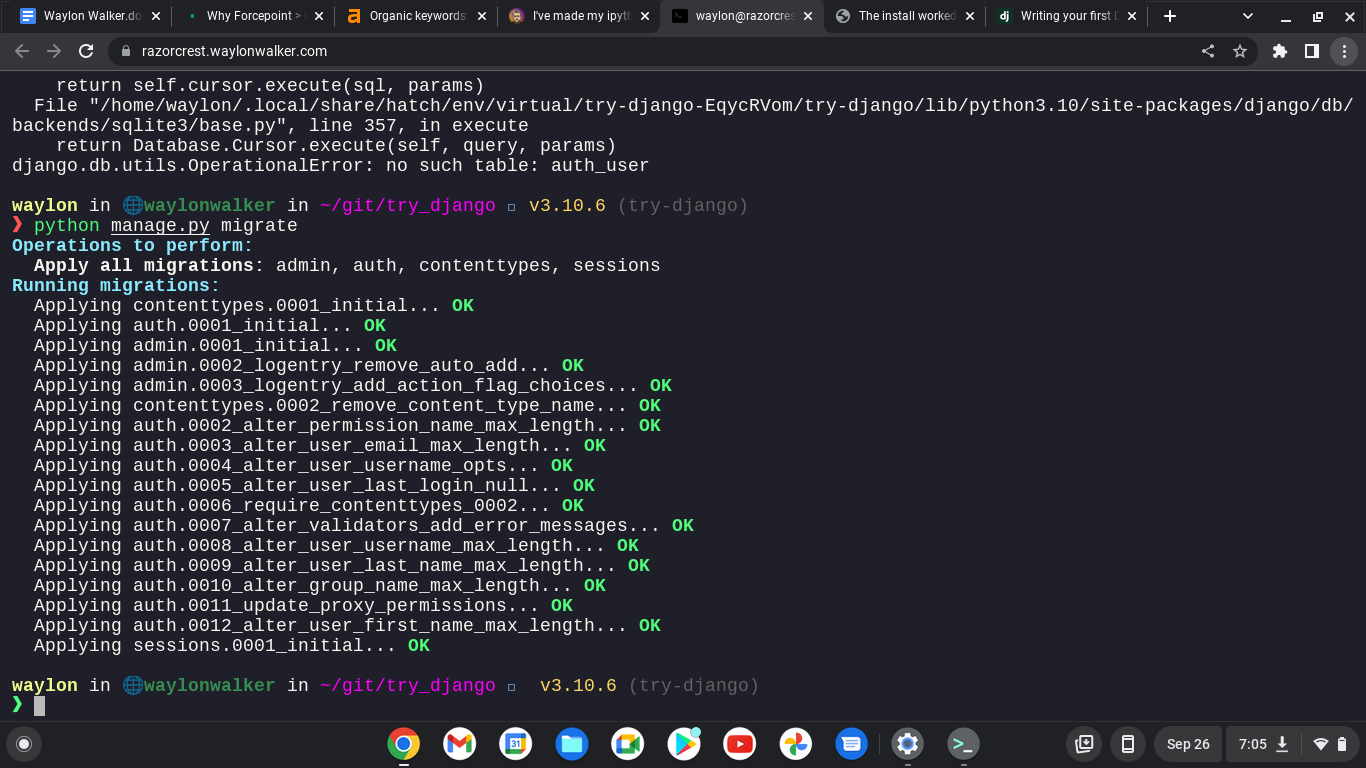
My next issue trying to run off of a separate domain was a cross site request
forgery error.
Since this is a valid domain that we are hosting the app from we need to tell
Django that this is safe. We can do this again in the settings.py, but this
time the variable we need is not there out of the box and we need to add it.
You might find these settings helpful as well if you are trying to run your
site on a remote host like aws, digital ocean, linode, or any sort of cloud
providor. I had it running in my home lab while I was out of the house and
ssh’d in over with a chromebook.
I am continuing my journey into django, but today I am not at my workstation. I
am ssh’d in remotely from a chromebook. I am fully outside of my network, so I
can’t access it by localhost, or it’s ip. I do have cloudflared tunnel
installed and dns setup to a localhost.waylonwalker.com.
I found this in settings.py and yolo, it worked first try. I am in from my
remote location, and even have auth taken care of thanks to cloudflare. I am
really hoping to learn how to setup my own auth with django as this is one of
the things that I could really use in my toolbelt.
ALLOWED_HOSTS=['localhost.waylonwalker.com']
I have no experience in django, and in my exploration to become a better python
developer I am dipping my toe into one of the most polished and widely used web
frameworks Django to so that I can better understand it and become a better
python developer.
If you found this at all helpful make sure you check out the django tutorial
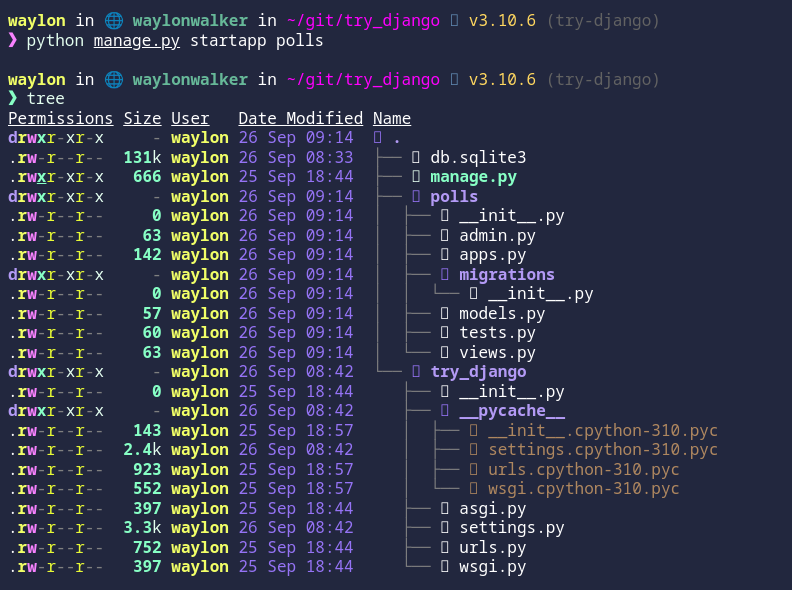
The first thing I need to do is render out a template to start the project.
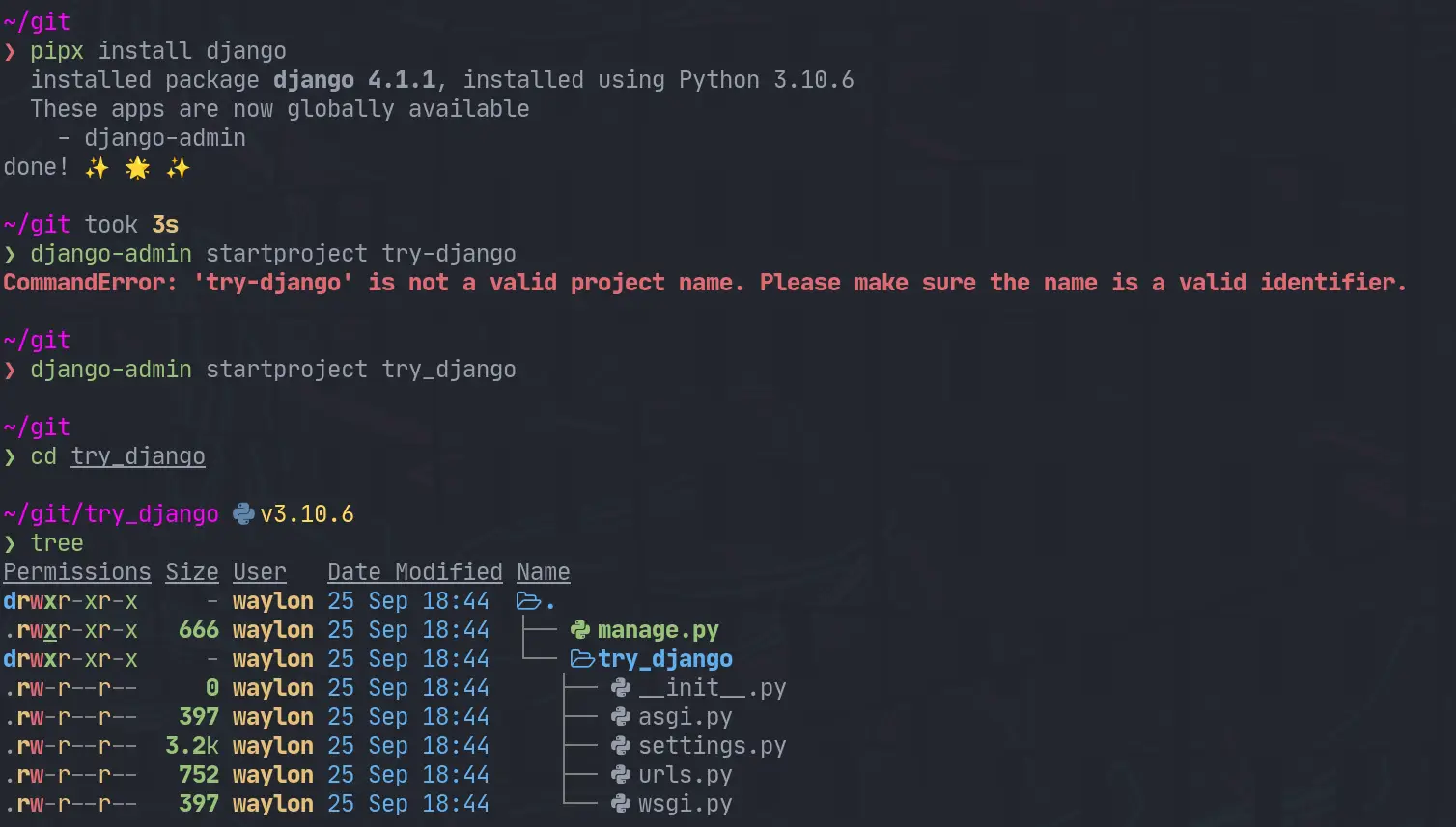
For this I need the django-admin cli. To get this I am going the route of
pipx it will be installed globally on my system in it’s own virtual
environment that I don’t have to manage. This will be useful only for using
startproject as far as I know.
pipx install django
django-admin startproject try_django
cd try_django
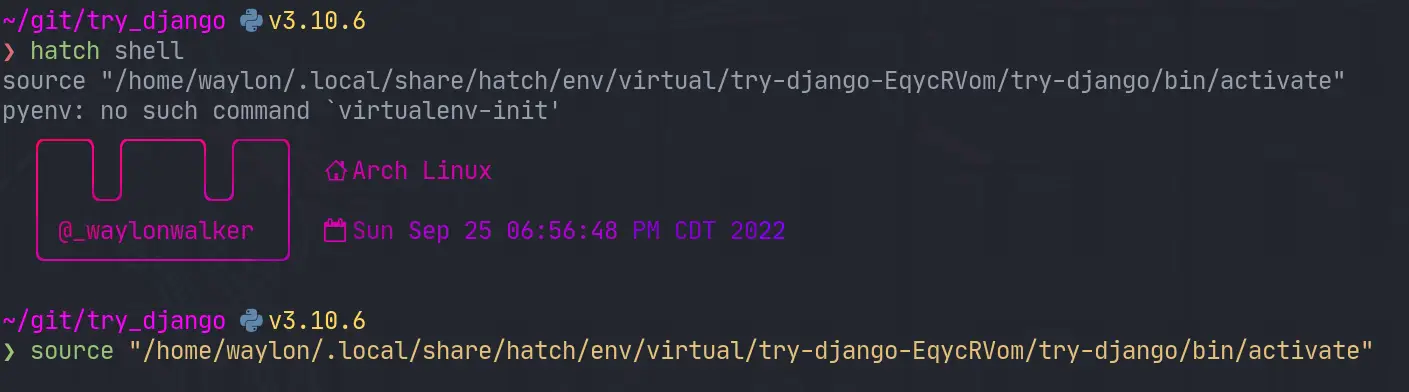
Once I have the project I need a venv for all of django and all of my
dependencies I might need for the project. I have really been diggin hatch
lately, and it has a one line “make a virtual environment and manage it for
me” command.
hatch shell
If hatch is a bit bleeding edge for you, or it has died out by the time you
read this. The ol trusty venv will likely stand the test of time, this is what
I would use for that.
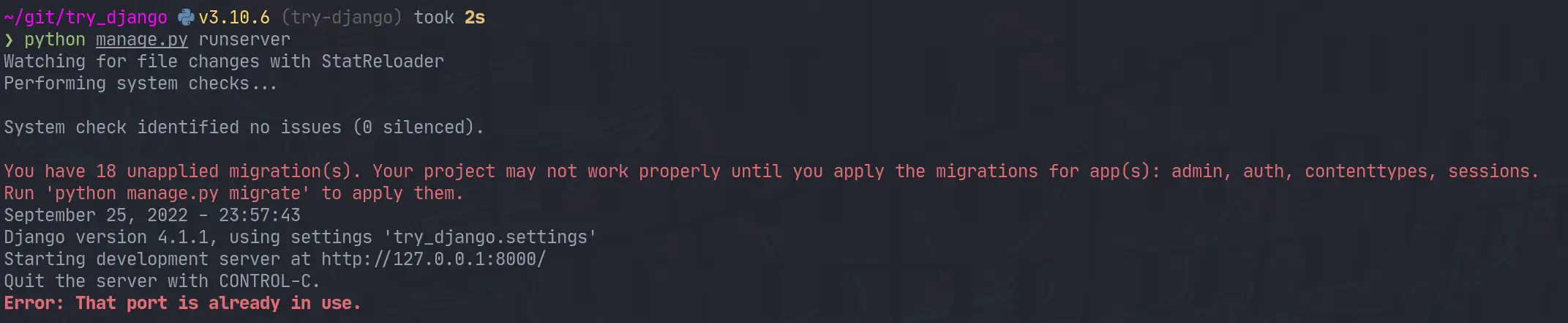
Next up we need to start the webserver to start seeing that development
content. The first thing I did was run it as stated in the tutorial and find
it clashed with a currently running web server port.
python manage.py runserver
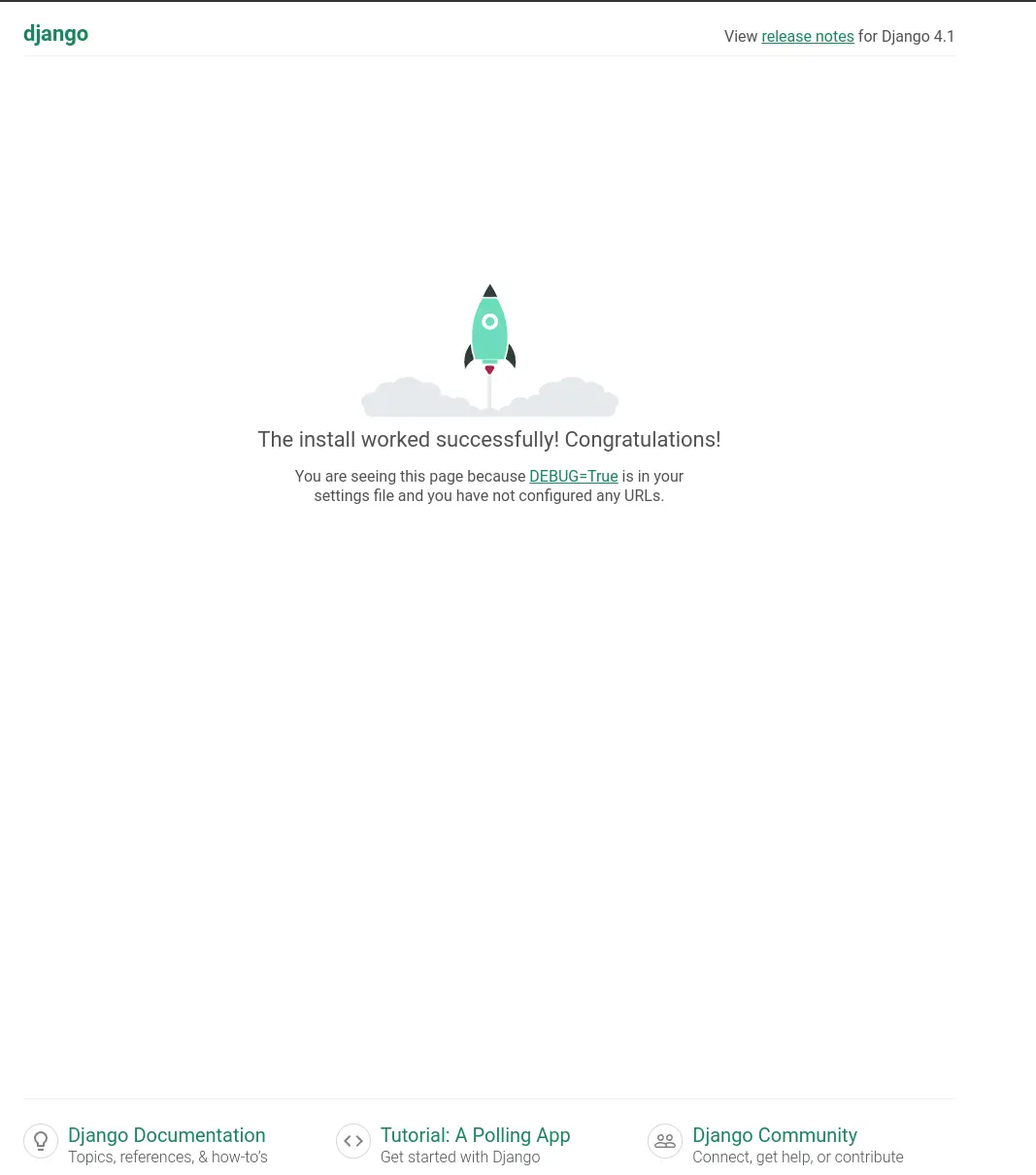
I jumped over to that tmux session, killed the process and I was up and running.
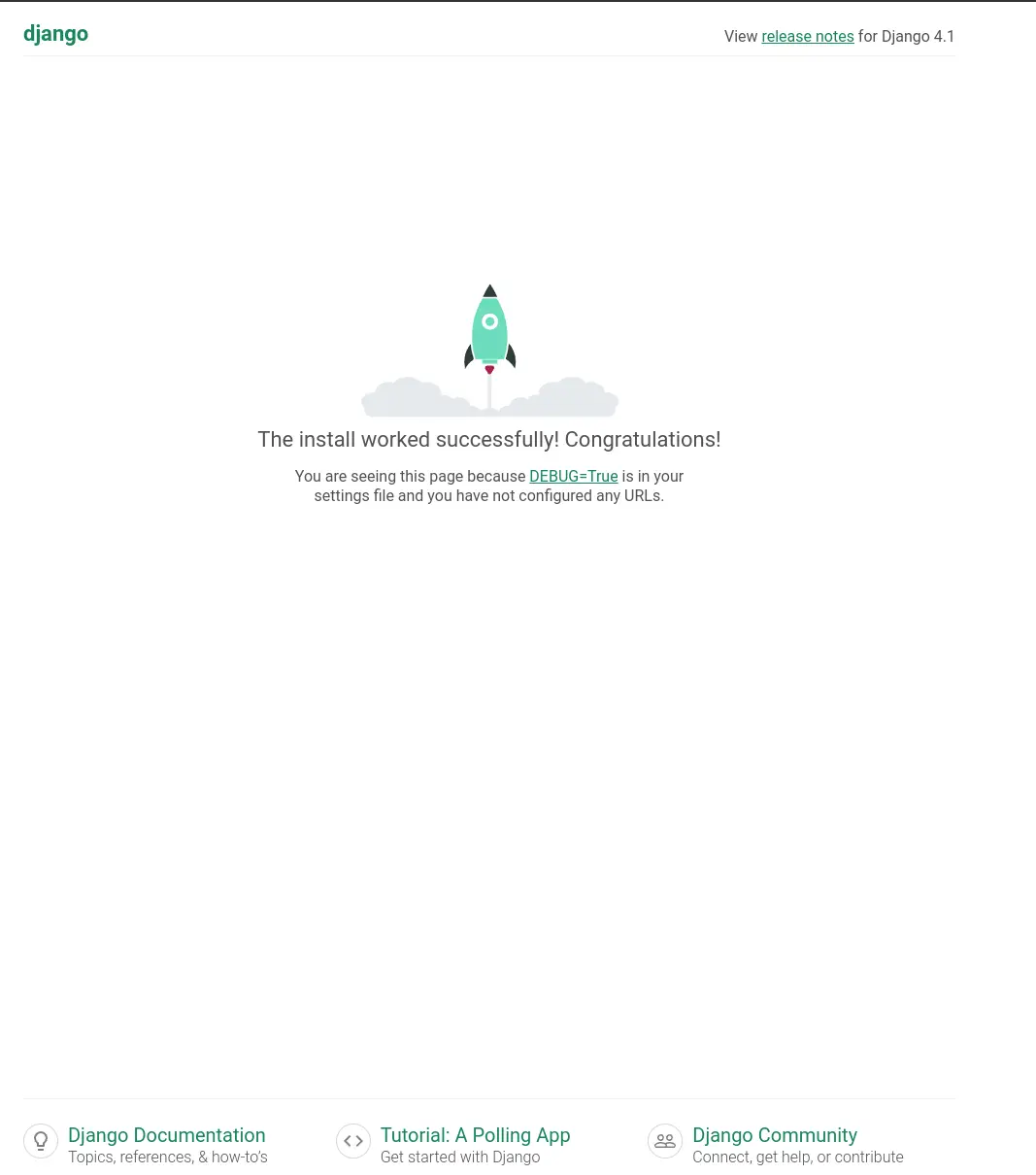
I opened up the urls.py to discover that the only configured url was at
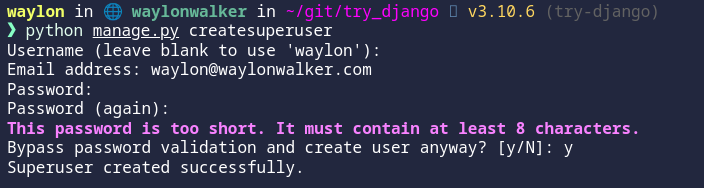
/admin. I tried to log in as admin, but was unable to as I have not yet
created a superuser. Next time I play with django that is what I will explore.
While updating my site to use Markata’s new configurable head I ran into some
escaping issues. Things like single quotes would cause jinja to fail as it was
closing quotes that it shouldnt have.
Jinja comes with a handy utility for escaping strings. I definitly tried to
over-complicate this before realizing. You can just pipe your variables into
e to escape them. This has worked pretty flawless at solving some jinja
issues for me.
The issue I ran into was when trying to setup meta tags with the new
configurable head, some of my titles have single quotes in them. This is what
I put in my markata.toml to create some meta tags.
[[markata.head.meta]]name="og:title"content="{{ title }}"
Using my article titles like this ended up causing this syntax error when not
escaped.
After making a complicated system of using html.escape I realized that jinja
included escaping out of the box so I updated my markata.toml to include the
escaping, and it all just worked!.
Hatch allows you to specify direct references for dependencies in your
pyproject.toml file. This is useful when you want to depend on a package that
is not available on PyPI or when you want to use a specific version from a Git
repository. Often used for unreleased packages, or unreleased versions of
packages.
When I am developing python code I often have a repl open alongside of it
running snippets ofcode as I go. Ipython is my repl of choice, and I hace
tricked it out the best I can and I really like it. The problem I recently
discovered is that I have way overcomplicated it.
So in the past the way I have setup a few extensions for myself is to add
something like this to my ~/.ipython/profile_default/startup directory. It
sets up some things like rich highlighting or in this example automatic
imports. I even went as far as installing some of these in the case I didn’t have them installed.
I missed the fact that some of these tools like pyflyby and rich already
have an ipython extension maintained by the library that just works. It’s less
complicated and more robust to future changes in the library. If anything ever
changes with these I will not have to worry about which version is installed,
the extension will just take care of itself.
The issue that I found with this is that you can end up with a sea of errors
flooding your terminal. Personally I will know immediately if ipython is
working right or not and typically have scriped venv installs so I have
everything I need, so If I don’t have everything it’s probably for a reason and
I don’t need an error message lighting up.
My way around this was to test if the module was importable and if it had a
load_ipython_extension attribute before appending it as an extension.
defactivate_extension(extension):try:mod=importlib.import_module(extension)getattr(mod,"load_ipython_extension")c.InteractiveShellApp.extensions.append(extension)exceptModuleNotFoundError:"extension is not installed"exceptAttributeError:"extension does not have a 'load_ipython_extension' function"extensions=["rich","markata","pyflyby"]forextensioninextensions:activate_extension(extension)