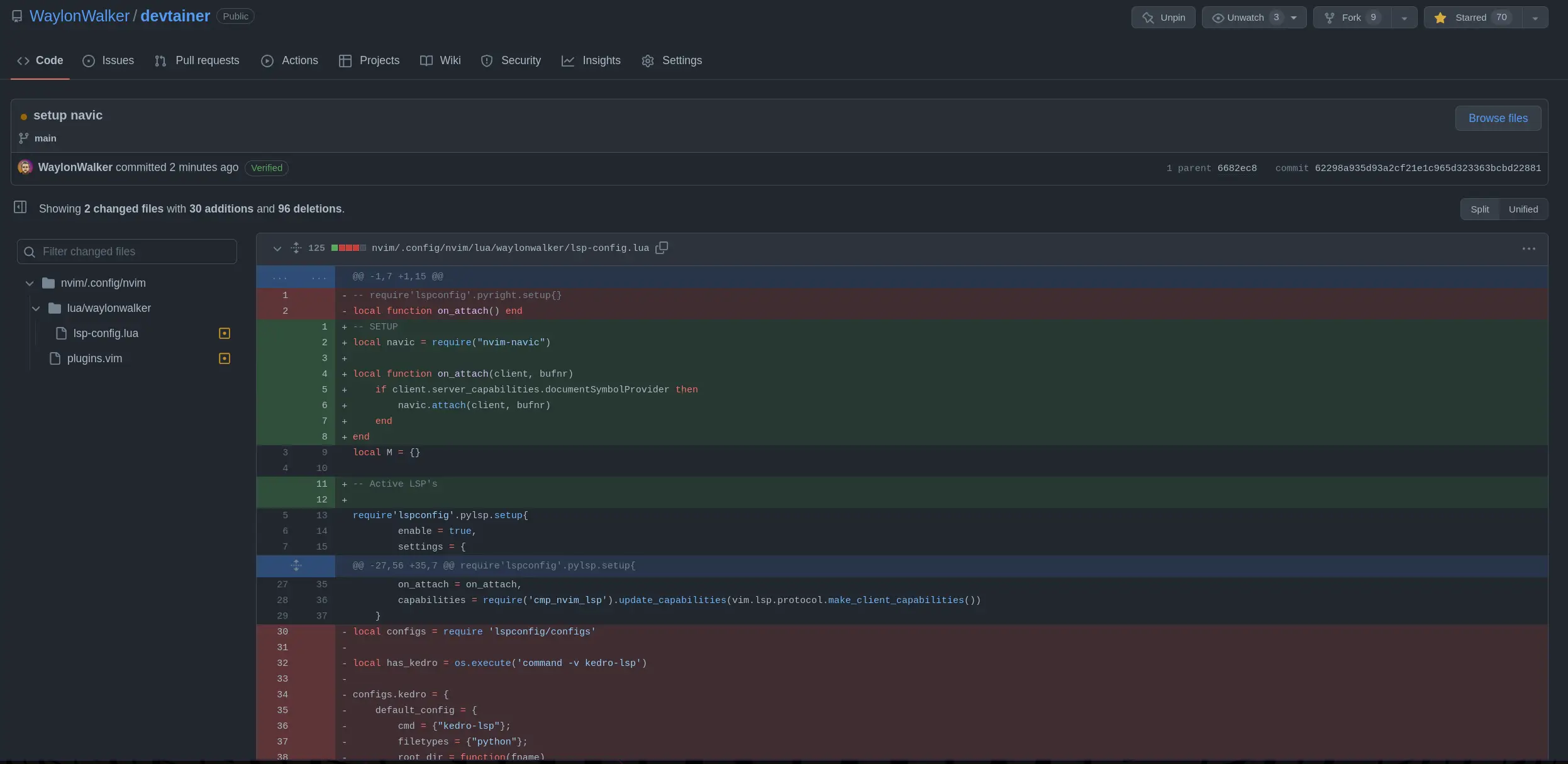
With the latest release of version of nvim 0.8.0 we get access to a new winbar feature. One thing I have long wanted somewhere in my nvim is navigation for pairing partners or anyone watching can keep track of where I am. As the driver it’s easy to keep track of the file/function you are in. But when you make big jumps in a few keystrokes it can be quite disorienting to anyone watching, and having this feedback to look at is very helpful.

winbar ¶ #
nvim exposes the winbar api in lua, and you can send any text to the winbar as follows.
vim.o.winbar = "here"
You can try it for yourself right from the nvim command line.
:lua vim.o.winbar = "here"
Now you will notice one line above your file with the word here at the very
beginning.
Clearing the winbar ¶ #
If you want to clear it out, you can just set it to an empty string or nil.
:lua vim.o.winbar = ""
:lua vim.o.winbar = nil
Setting up nvim-navic ¶ #
You will need to install nvim-navic if you want to use it. I added it to my
plugins using Plug as follows.
call plug#begin('~/.local/share/nvim/plugged')
Plug 'SmiteshP/nvim-navic'
call plug#end()
Note!
nvim-navicdoes require the use of the nvim lsp, so if you are not using it then maybe this won’t work for you.
I created an on_attach function long ago, cause that’s what Teej told me to
do. Now I am glad I did, because it made this change super easy.
local function on_attach(client, bufnr)
    if client.server_capabilities.documentSymbolProvider then
        navic.attach(client, bufnr)
    end
end
Then you need to use that on_attach function on all of the lsp’s that you
want navic to work on.
Then in a lua file you need to setup the winbar, for now I put this in my lsp-config settings file, but eventually I want to move my settings to lua and put it there.
vim.o.winbar = " %{%v:lua.vim.fn.expand('%F')%} %{%v:lua.require'nvim-navic'.get_location()%}"
What my winbar looks like ¶ #
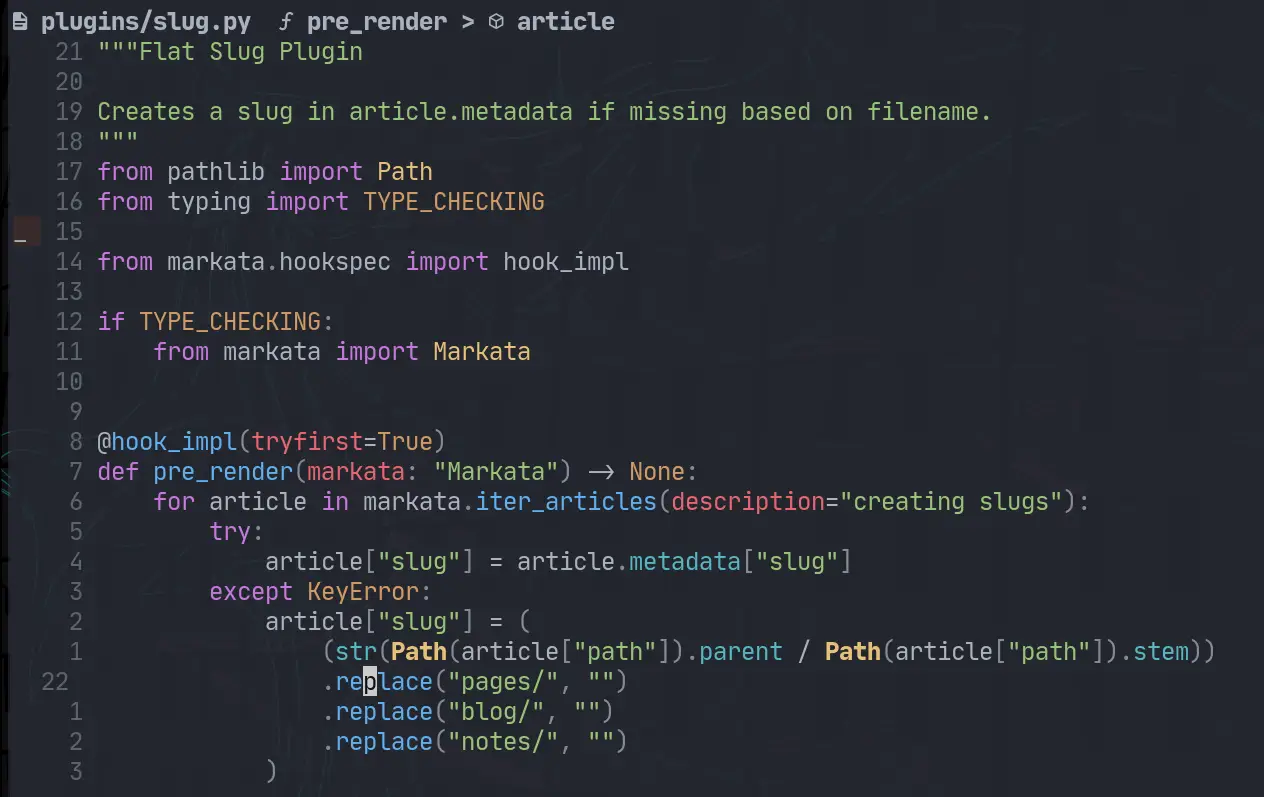
What I have right now is everything someone who is watching would need to know to navigate to the same place that I am in the project.
waylonwalker/app.py Link > on_click
Diff ¶ #
Here are the changes that I made to to my plugins list and my lsp-config to get it.
/home/u_walkews/.config/nvim/plugins.vim
call plug#begin('~/.local/share/nvim/plugged')
+Plug 'SmiteshP/nvim-navic'
# /home/u_walkews/.config/nvim/lua/waylonwalker/lsp-config.lua
-local function on_attach() end
+local navic = require("nvim-navic")
+local function on_attach(client, bufnr)
+ if client.server_capabilities.documentSymbolProvider then
+ navic.attach(client, bufnr)
+ end
+end
+
+vim.o.winbar = " %{%v:lua.vim.fn.expand('%F')%} %{%v:lua.require'nvim-navic'.get_location()%}"
GH commit ¶ #
If you want to see the change on GitHub, here is the diff