
I ran a discussion on dev that collected quite a list of examples in the comment section. So many great calls to action, animations, memes, and weird tricks.

My current profile ¶ #
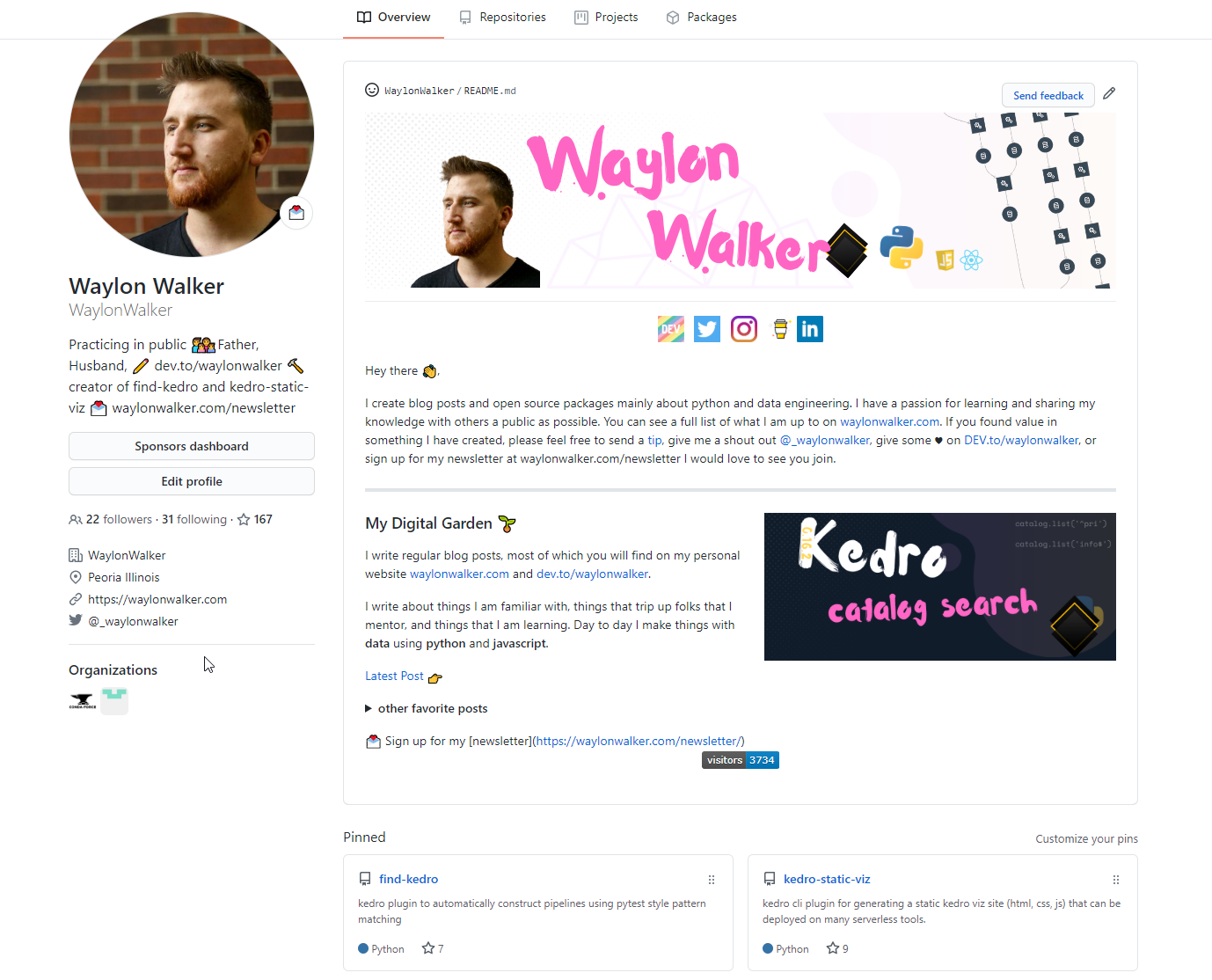
social icons ¶ #
Upload all of your icons to the repo in a directory such as icons or assets, then link them with a height attribute like below. I used html for mine, not sure if you can set the height in markdown.
<a href="https://dev.to/waylonwalker"><img height="30" src="https://raw.githubusercontent.com/WaylonWalker/WaylonWalker/main/icon/dev.png"></a>
note I did add a bit of (non-breaking-whitespace) between my icons. Without adding css this seemed like the simplest way to do it.
Center ¶ #
Aligning things in the center of the readme is super simple. I used this trick to align my social icons in the middle.
<p align='center'>
 ...html
</p>
right ¶ #
For my latest post I floated it to the right with a little bit of align='right' action.
<p>
  <a href="https://images.waylonwalker.com/latest"><img width="400" align='right' src="https://waylonwalker.com/latest.png?raw=true"></a>
</p>
You may need to play with where you put this in the document, and the size of elements to get things to flow right.
redirects ¶ #
In order to keep my latest post always up to date on my readme I implemented a netlify redirect to always point to my latest post. As a digital gardener this helps me keep pointed to a the best one in my opinion. Any automated way would pick up half finished posts.
# /static/_redirects
# netlify redirects

# latest post
/latest            /blog/kedro-catalog-search/
/latest.png        /kedro-catalog-search.png
Now I can reference both the post and the post cover image.
summary/details ¶ #
I also wanted to list out a few of my favorite posts without taking up a ton of space, so I used details and summary tags so that it would collapse.
<details>
 <summary><strong>other favorite posts</strong></summary>
 <a href="https://images.waylonwalker.com/eight-years-cat/"><img width="400" src="https://waylonwalker.com/eight-years-cat.png?raw=true"></a>
 <a href="https://images.waylonwalker.com/keyboard-driven-vscode/"><img width="400" src="https://waylonwalker.com/alt%20b.png?raw=true"></a>
 <a href="https://images.waylonwalker.com/what-are-github-actions/"><img width="400" src="https://waylonwalker.com/what-are-github-actions.png?raw=true"></a>

</details>
Go ham on your profile, its your own slice of GitHub to completely personalize and speak your brand. Give a powerfule call to action, share a funny meme, record a wicked cool GIF, its your space.