
This is a quickstart to getting a new kedro pipeline up and running. After this article you should be able to understand how to get started with kedro. You can learn more about this Hello World Example in the docs
🧹 Install Kedro
🛢 Create the Example Pipeline
💨 Run the example
📉 Show the pipeline visualization
Create a Virtual Environment ¶ #
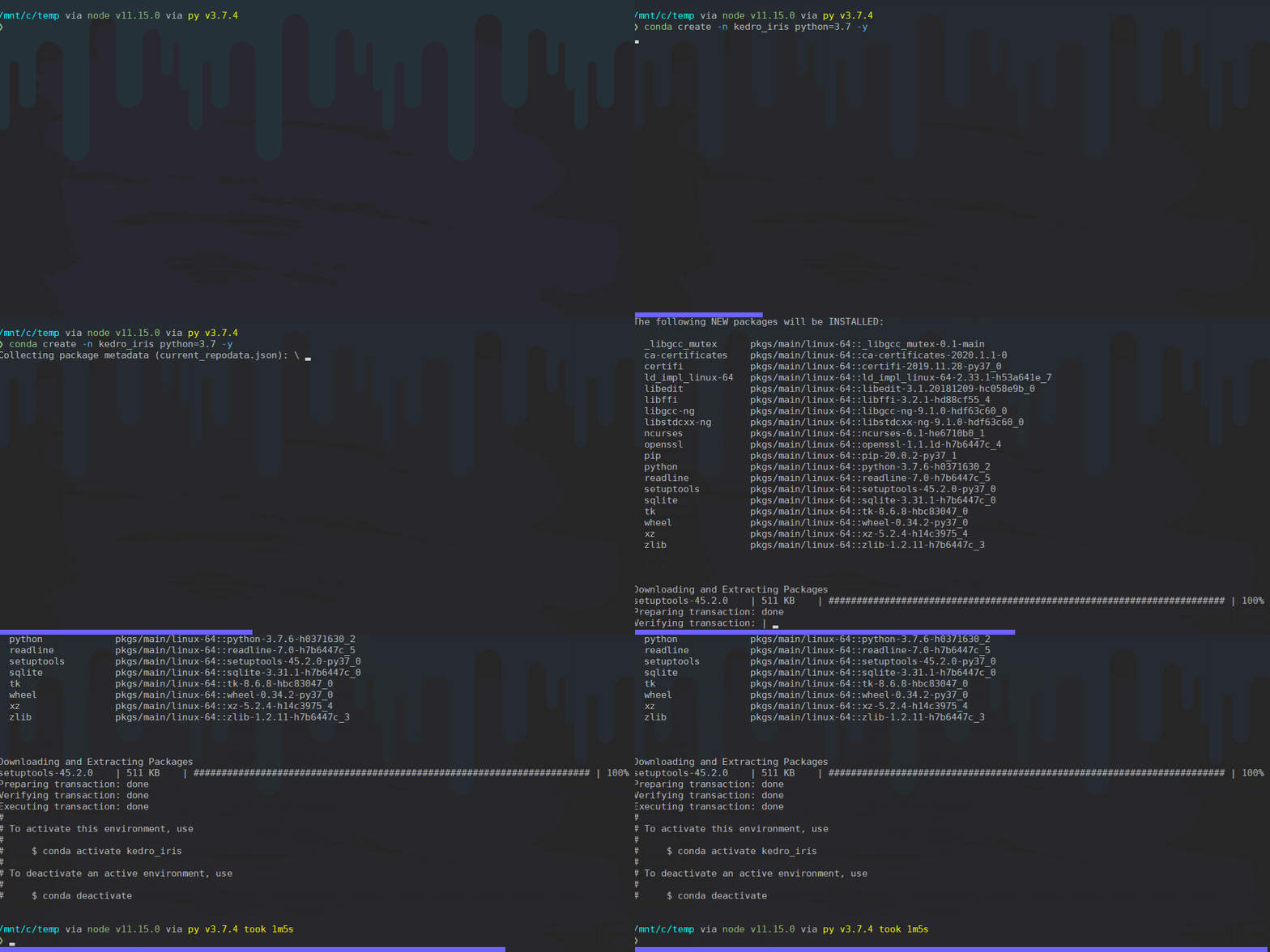
I use conda to control my virtual environments and will create a new environment called kedro_iris with the following command. note the latest compatible version of python is 3.7.
EDIT: as of kedro 0.16.0 kedro supports up to 3.8
conda create -n kedro_iris python=3.8 -y
Options
Activate your conda environment ¶ #
I try to keep my base environment as clean as possible. I have ran into too many issues installing things in the base environment. Almost always its some dependency that starts causing issues making it even harder to realize where its coming from as I never even installed it in base.
source activate kedro_iris
Install Kedro ¶ #
Currently kedro==0.15.5 is available on pypi and can be pip installed.

pip install kedro
Make sure you are in the directory that you want your project in ¶ #
cd /mnt/c/temp
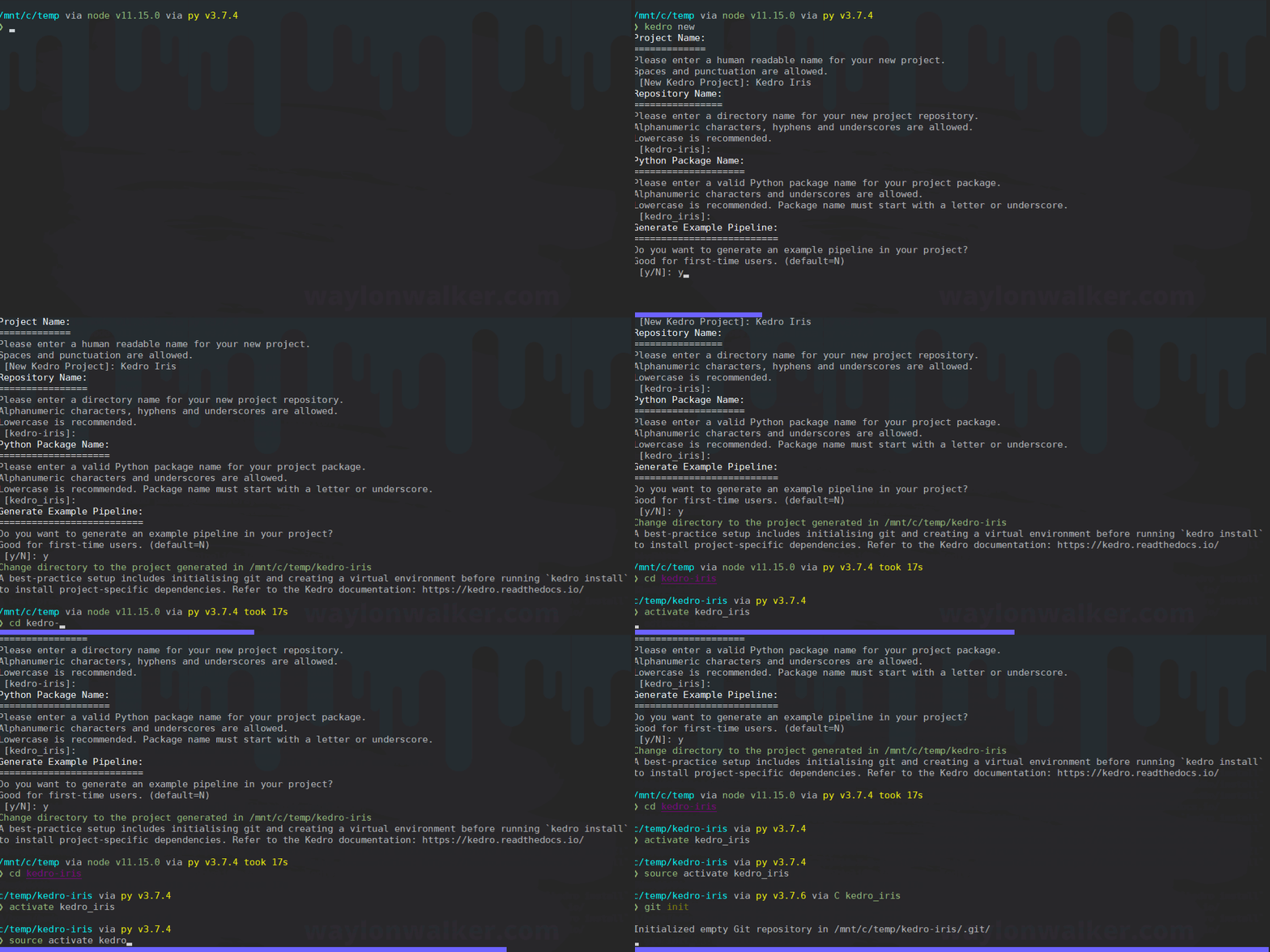
Create a new Kedro project ¶ #
kedro new
cd kedro-iris
git init
kedro install
Run the pipeline ¶ #
This will tell kedro to run your pipeline. It will look at all of your nodes and determine the correct execution order for you, then run each one of them. You can do this from a python script, python terminal session, or from the kedro cli.
✨ It will look at all of your nodes and determine the correct execution order for you
Lets run from the cli while in the same directory as kedro-iris
kedro run
Viz ¶ #
kedro-viz is a priceless feature of kedro. It’s like x-ray vision into your pipeline. I can’t imagine working without it after having it over the past year. Unlike traditional documentation kedro-viz cannot lie to you. It will help guarantee your changes line up properly, plan out adding nodes, and identify dependencies of deprecating nodes.
Unlike traditional documentation kedro-viz cannot lie to you.
Install kedro-viz ¶ #
kedro-viz is also on pypi and can be installed just like any other python package with pip.
pip install kedro-viz
Visualize the pipeline ¶ #
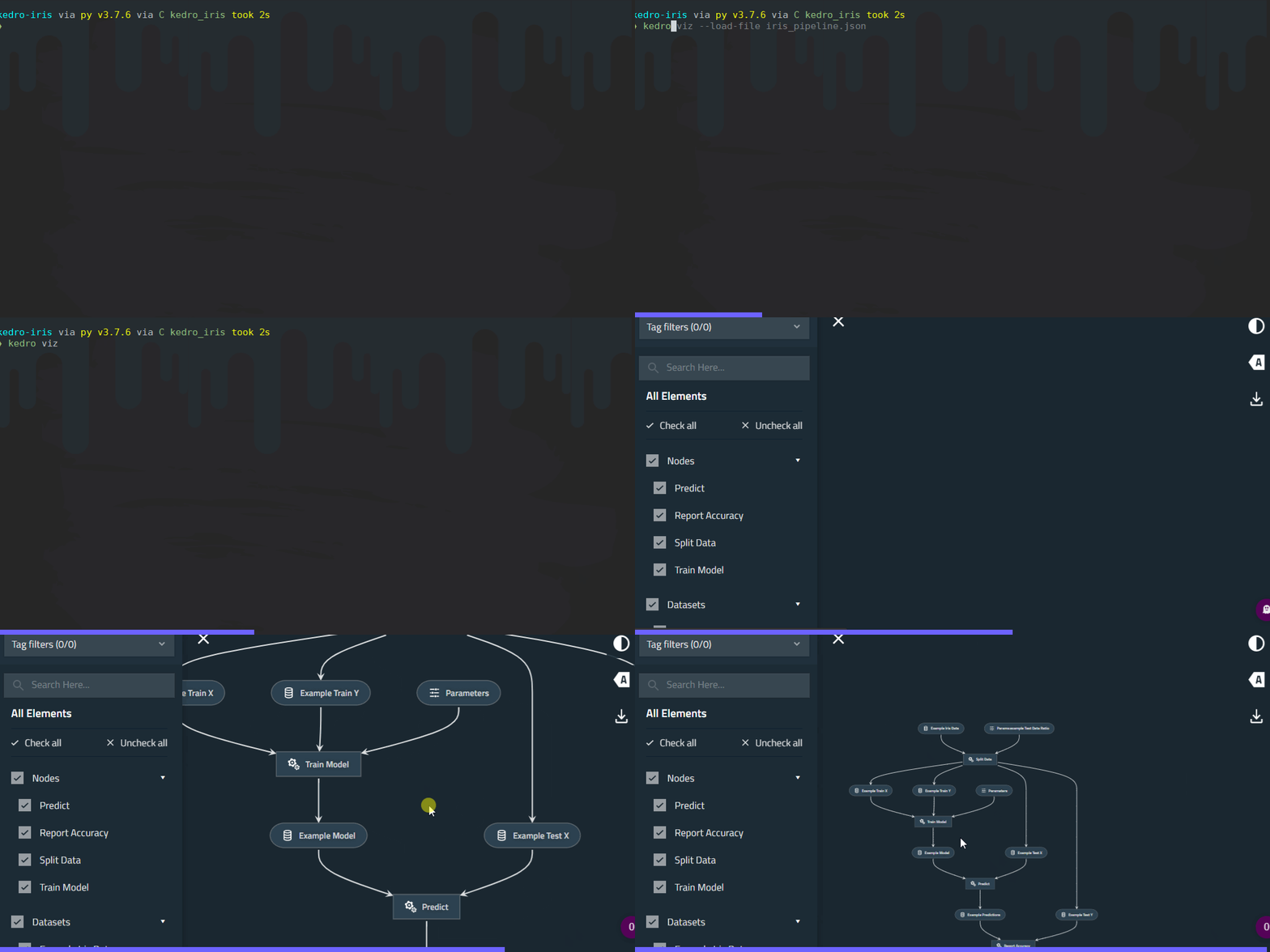
kedro-viz is ran from the command line in the same directory as your kedro project. There are ways to store your pipeline data as json, then load them from outside your project, but we will follow the standard practice for now.
kedro viz
🏗 Docker ¶ #
There is another package that makes creating docker images from kedro projects super simple kedro-docker.
If you dont already have docker installed on your machine, feel free to skip this section.
install kedro-docker ¶ #
pip install kedro-docker
build the image ¶ #
kedro docker build
run the image ¶ #
kedro docker run
Simple Huh ¶ #
Getting up and going with a brand new kedro project is super simple, thanks to the help of the kedro new command. The ability to add an example pipeline from the start makes it that much easier to get going and have a template to follow for your own projects.
Recap ¶ #
conda create -n kedro_iris python=3.7 -y
source activate kedro_iris
pip install kedro
cd /mnt/c/temp
kedro new
# give it a project name Kedro Iris
# accept default package name kedro_iris
# addept default directory name kedro-iris
# yes for an example pipeline
cd kedro-iris
git init
git add .
git commit -m "initialized new kedro project"
kedro install
kedro run
pip install kedro-viz
kedro viz
pip install kedro-docker
kedro docker build
kedro docker run
Other resources ¶ #
The kedro docs have a ton of great resources. They are searchable, but can be a bit of an overwhelming amount of data.
I keep adding to my kedro notes as I find new and interesting things.
I tweet out most of those snippets as I add them, you can find them all here #kedrotips.
More to come ¶ #
I am planning to do more articles like this, you can stay up to date with them by following me on dev.to, subscribing to my rss feed.